


(This page can be translated using your browser, or 點此直接閱讀中文翻譯 )
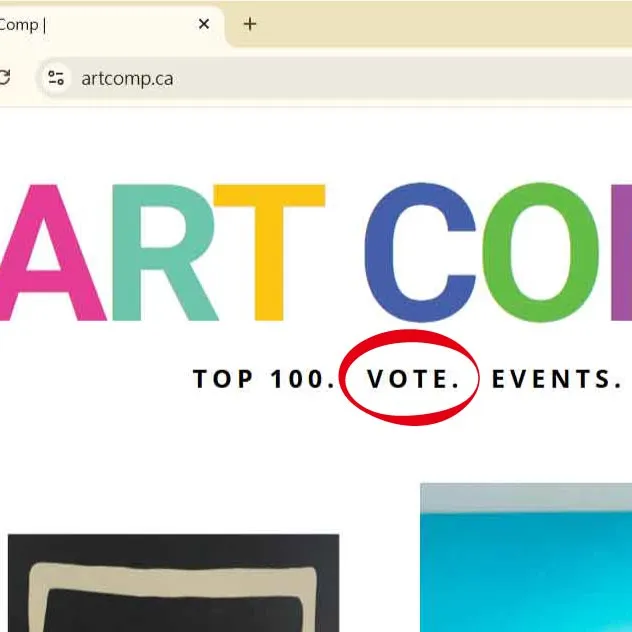
Step 1: Visit https://artcomp.ca/, then click “VOTE.”
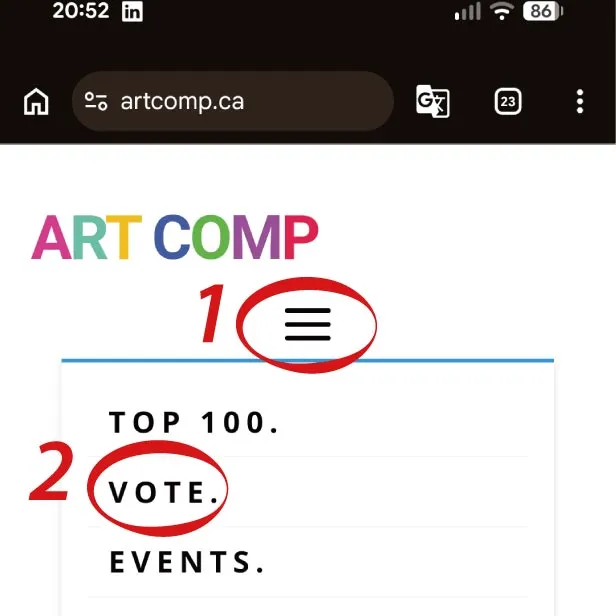
** For smartphone browser (the 2nd image below), click the 3 lines for drop down menu first then click “VOTE.”
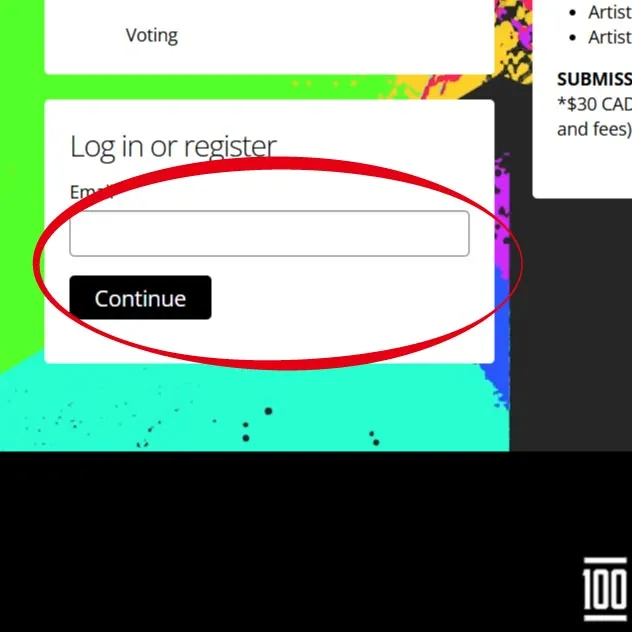
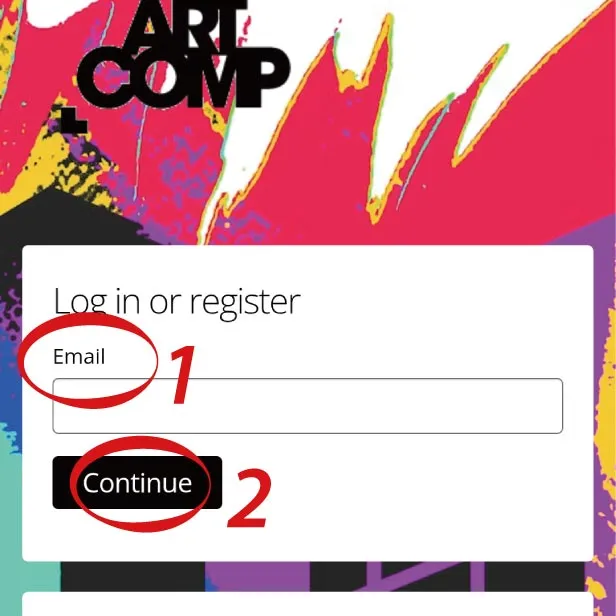
Step 2: Go to “Log in or register”, key in your Email address, then click “Continue”
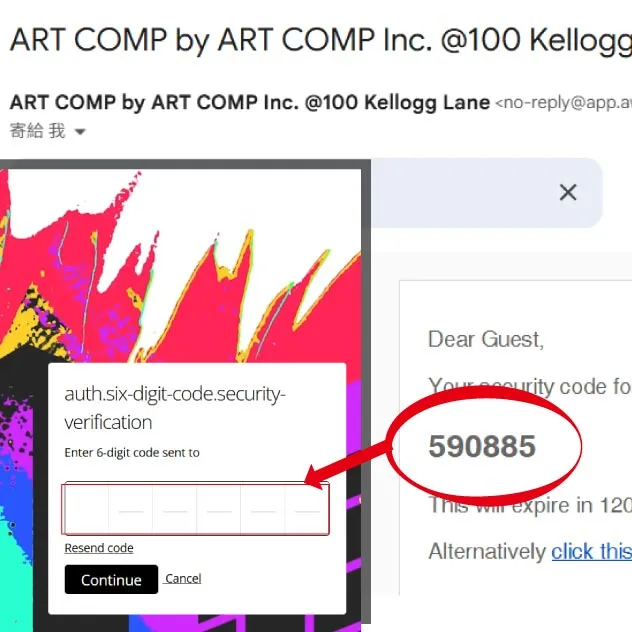
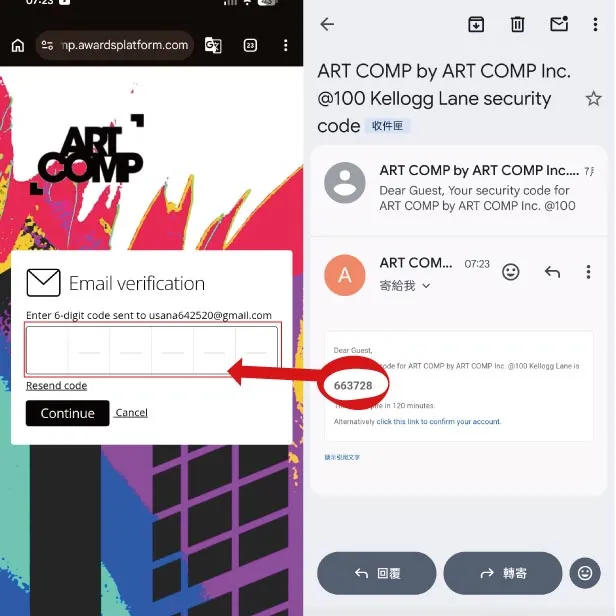
Step 3: Go to email inbox (check sapm if needed), find the verification code. Back to the artcomp page then fill in the code.
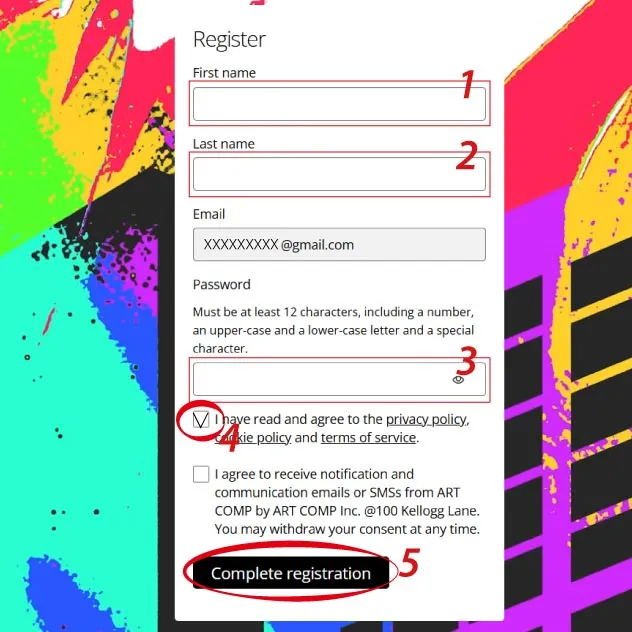
Step 4: Fill in the mandatory fields then click “Complete registration” (You can decide whether you wish to receive notification or not)
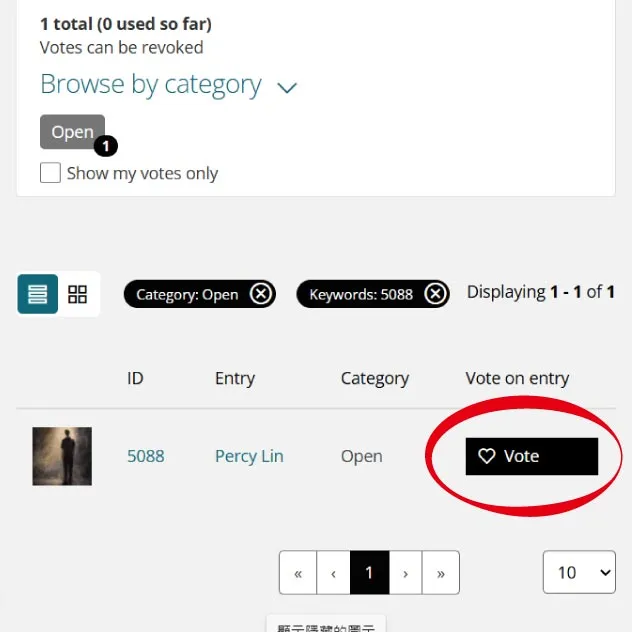
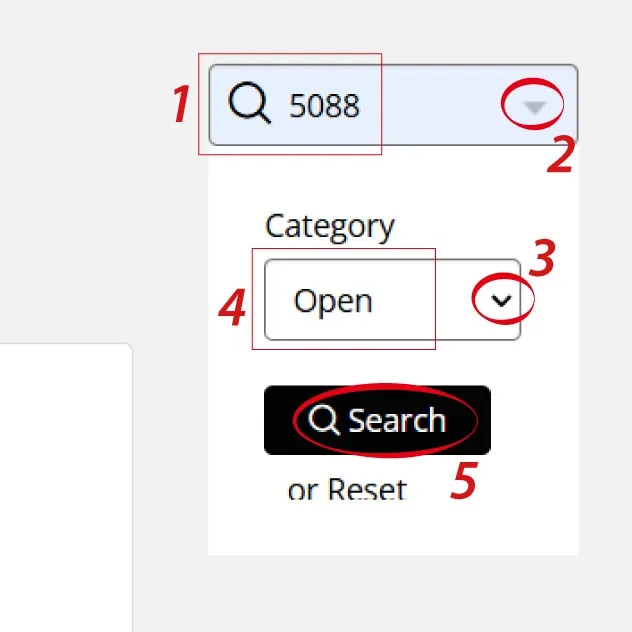
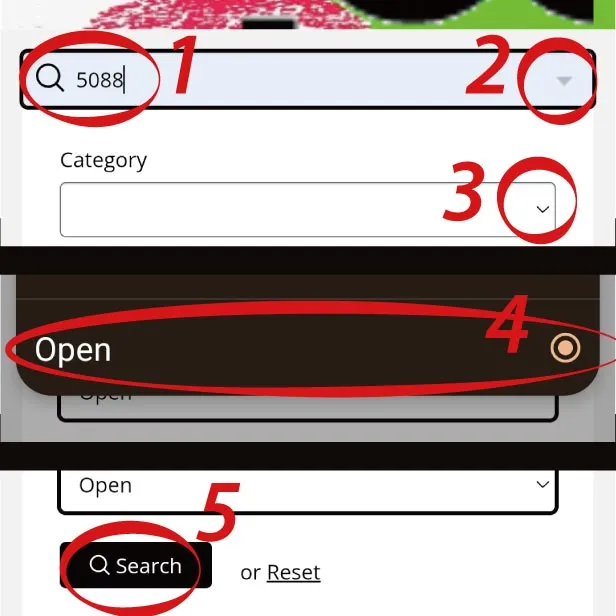
Step 5: You can browse all artworks, or search for specific artwork. For example, to find “At the Threshold”, search ID# 5088, select “Open” category from drop down menu, then click “Search”
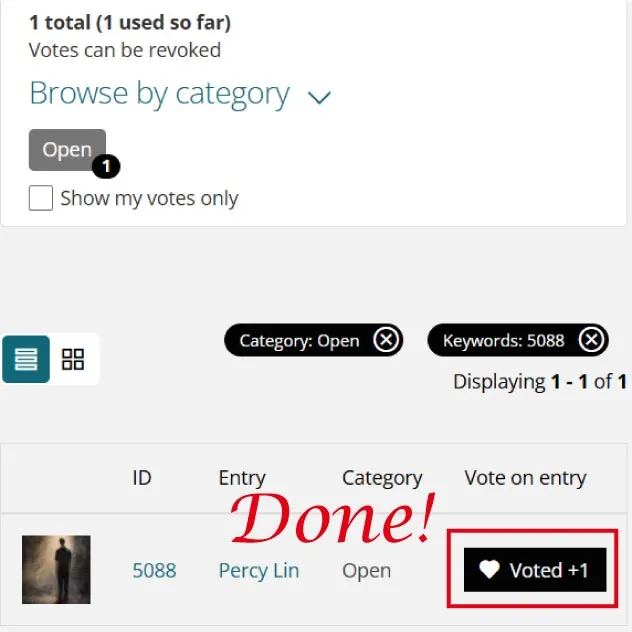
Step 6: Find “Vote” button, click then voting done.